An employee gets a new ID card. They scan it and email it to HR. HR saves it in a folder and updates the spreadsheet. A month later someone in finance needs a copy, and it is back to email.
1
A contract runs out, and the date was in a file nobody had open.
2
Employee data sits in folders, a spreadsheet, an old system and the payroll system.
3
One person knows where everything is. When they leave, nobody does.
How it fits your team
Three tabs, set once: permissions, profile info and documents. What you set there shows on every profile.
01
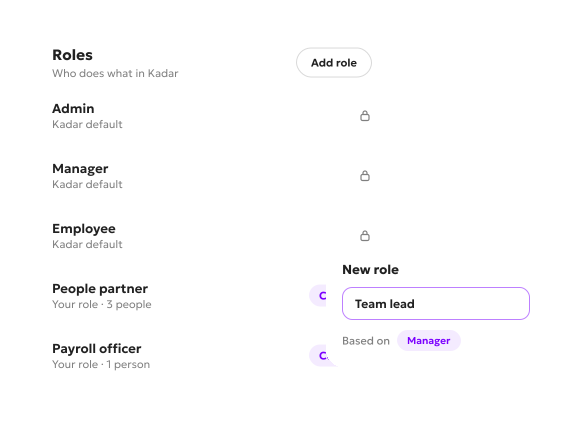
Roles you name yourself
Kadar comes with three roles: admin, manager and employee. On top of those, you add your own and call them what your company calls them. A People Ops role, an external HR consultant who runs your HR team, a CFO.
For each role you decide, function by function, what it can do: only view, add, edit, delete, manage documents, or manage other roles.
02
The details you keep, and who sees them
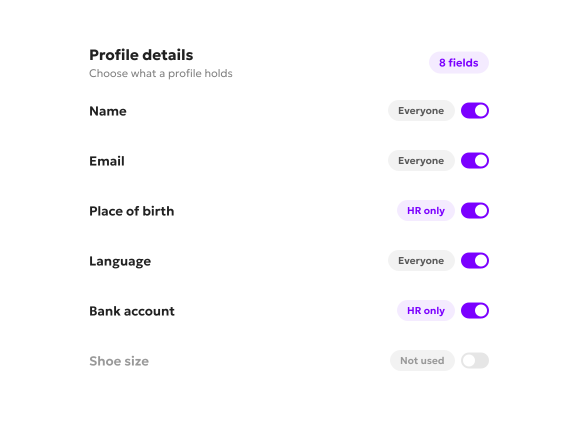
You choose which details a profile holds. Kadar suggests the common ones, such as name, email, place of birth and language, and you keep what you need and add your own.
Mark a field as sensitive and it shows only to the roles you allow. For everyone else it is simply not there. So the person who handles the paperwork can work with the documents without ever seeing a salary.
03
Your documents, in your own categories
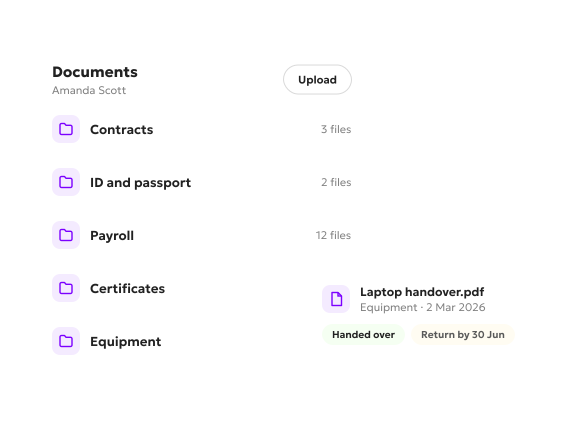
Kadar suggests the usual categories, such as contracts, ID, passport, payroll, certificates, and equipment handed over or returned. Edit them, remove them, or add your own with their own subtypes. A sanitary booklet for a production team, for example.
For each document type, you decide whether it is mandatory and whether employees can upload it themselves. Self-upload makes sense for an ID or a passport. For a contract, probably not.
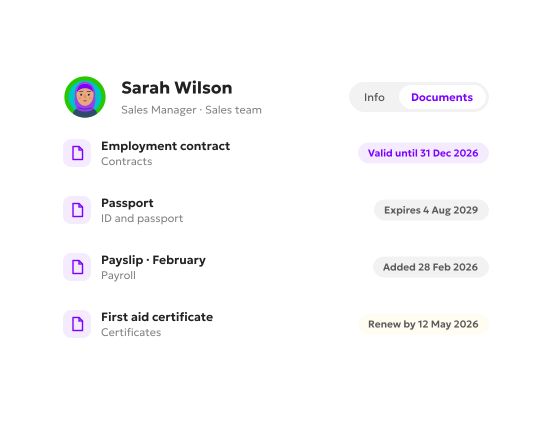
A document your company issues, such as a contract, carries the date it was signed and, if it has one, the date it expires. One coming up for renewal is marked on the profile.
04
Set up with you
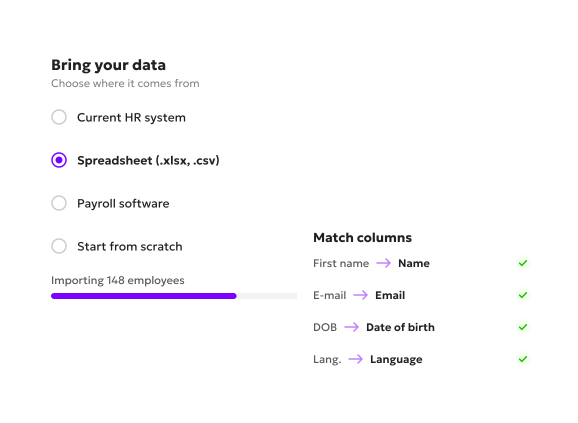
Bring what you already have: data from your current HR system, from spreadsheets, or from your payroll software where it allows. Or start fresh. Send us your structure, your org chart and your documents, and we usually do the entry for you.
In this category, getting your data into a new tool is usually a project you run alone, or one that applies the same standard setup to every client.
One profile per person
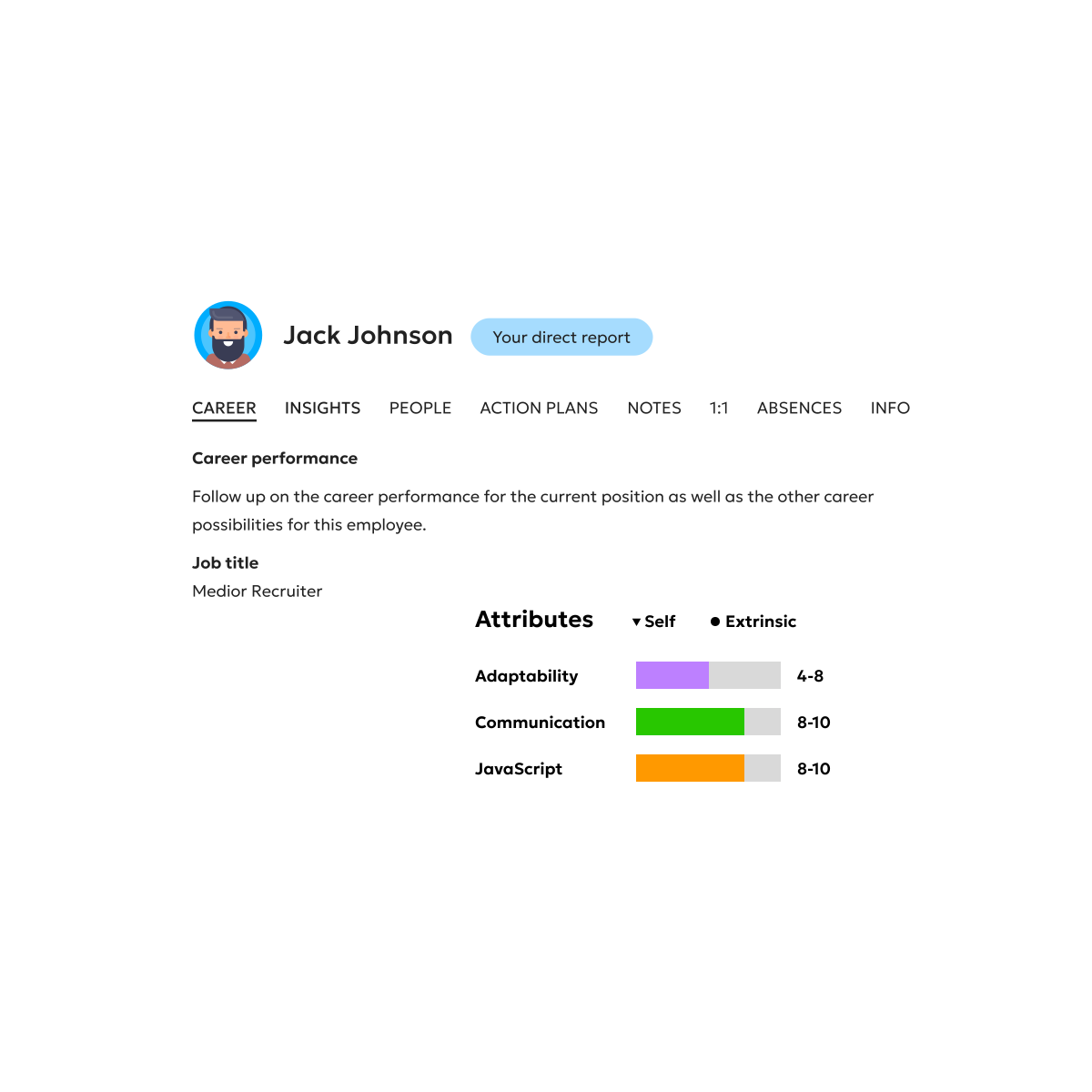
The details and documents you set up land on one profile per employee, each document in its own category, with its dates where it has them. One coming up for renewal is marked, and you can see how much of the profile is filled in.
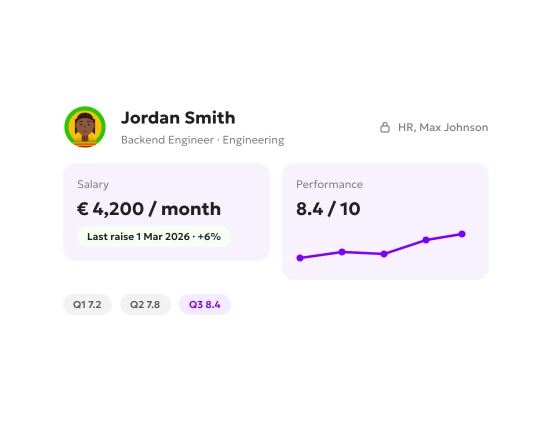
A manager you allow to see pay finds performance and salary on the same profile, including when the salary was last raised.
What employee records look like day to day
The same profile, from three sides.
1
For HR
Sets the roles, the details and the document types, then keeps each profile up to date. What is missing or coming up for renewal shows on the profile itself.
2
For managers
See their team’s profiles as far as their role allows. Performance and pay side by side, if you give them that.
3
For employees
See their own record in one place. Where you switch it on, they upload a new document themselves, a new ID for example, without going through an admin.
FAQ
Can we bring the data we already have?
Yes. From your current HR system, from spreadsheets or CSV files, or from your payroll software where it allows. You can also start fresh.
Who sets it up?
Your HR team decides what goes into the record and who sees what. We work through the setup with you, and if you send us your structure, org chart and documents, we usually do the entry.
Who can see salaries?
Only the roles you allow. Mark salary as sensitive, and for everyone else the field is simply not on the profile.
How is Employee Records packaged?
Employee database software is one of Kadar’s modules. You switch on the modules you use.
Got a question we didn't cover?
Book the 15-minute demo and ask. We'd rather answer it directly than guess what you meant on a page.
Employee records shaped to fit what your company actually keeps.
The details and documents you choose to keep, on one profile per employee, seen by the roles you allow.